For iPhone and iPad · Free to start
Focus broke? Come back to it.
Starting is hard. Getting back in after an interruption is harder. OtterFocus turns one task into a small first action, holds stray thoughts while you work, and when focus breaks, asks one question: how will you come back?
- The whole loop is free
- No account
- No ads, no tracking
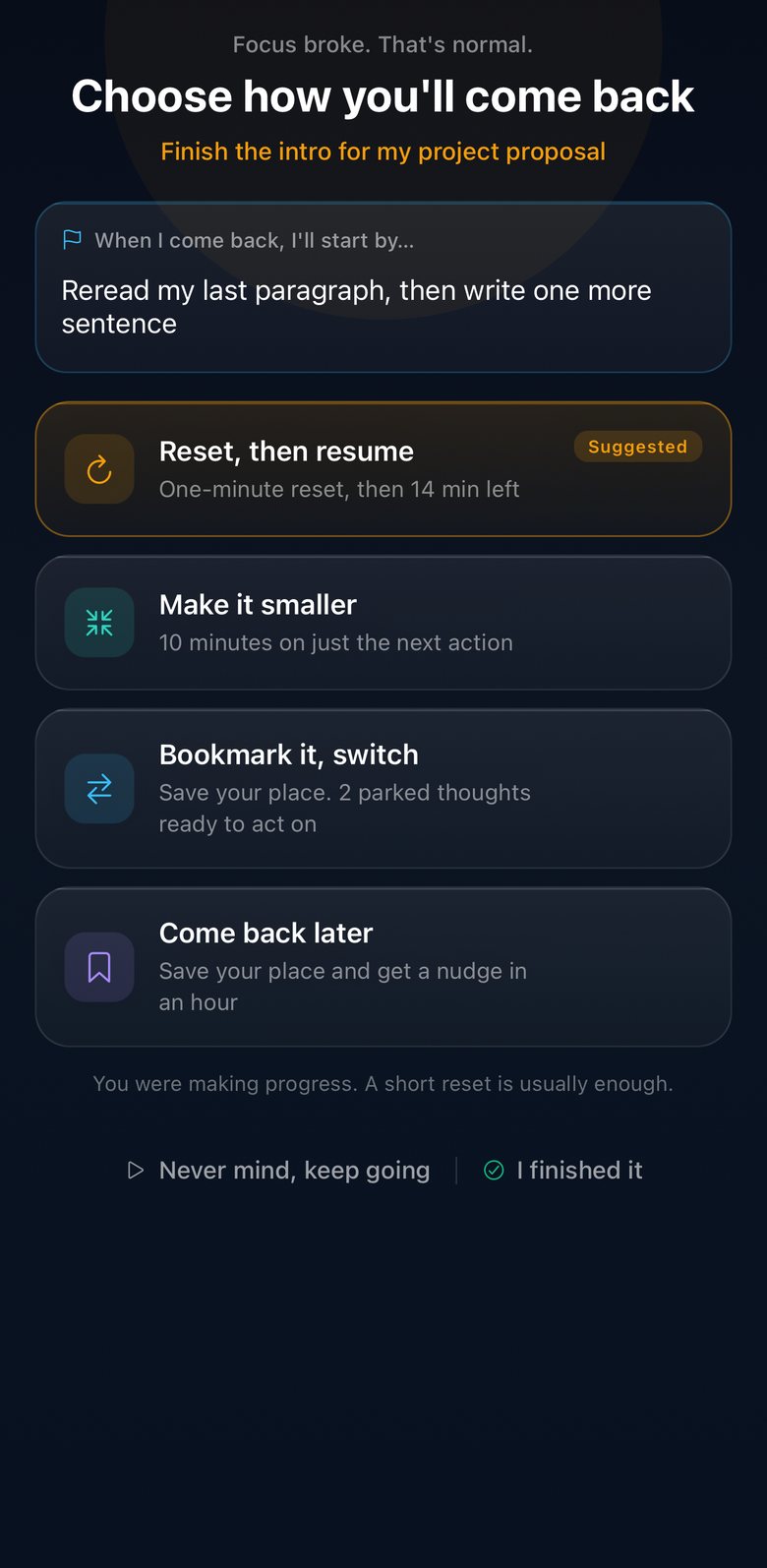
One task. One first action.
Type the thing you need to do. OtterFocus turns it into a small, concrete first step, so you start with "open the document", not "write the proposal". Pick a pace that fits your energy, from a 10-minute warm-up to deep work.
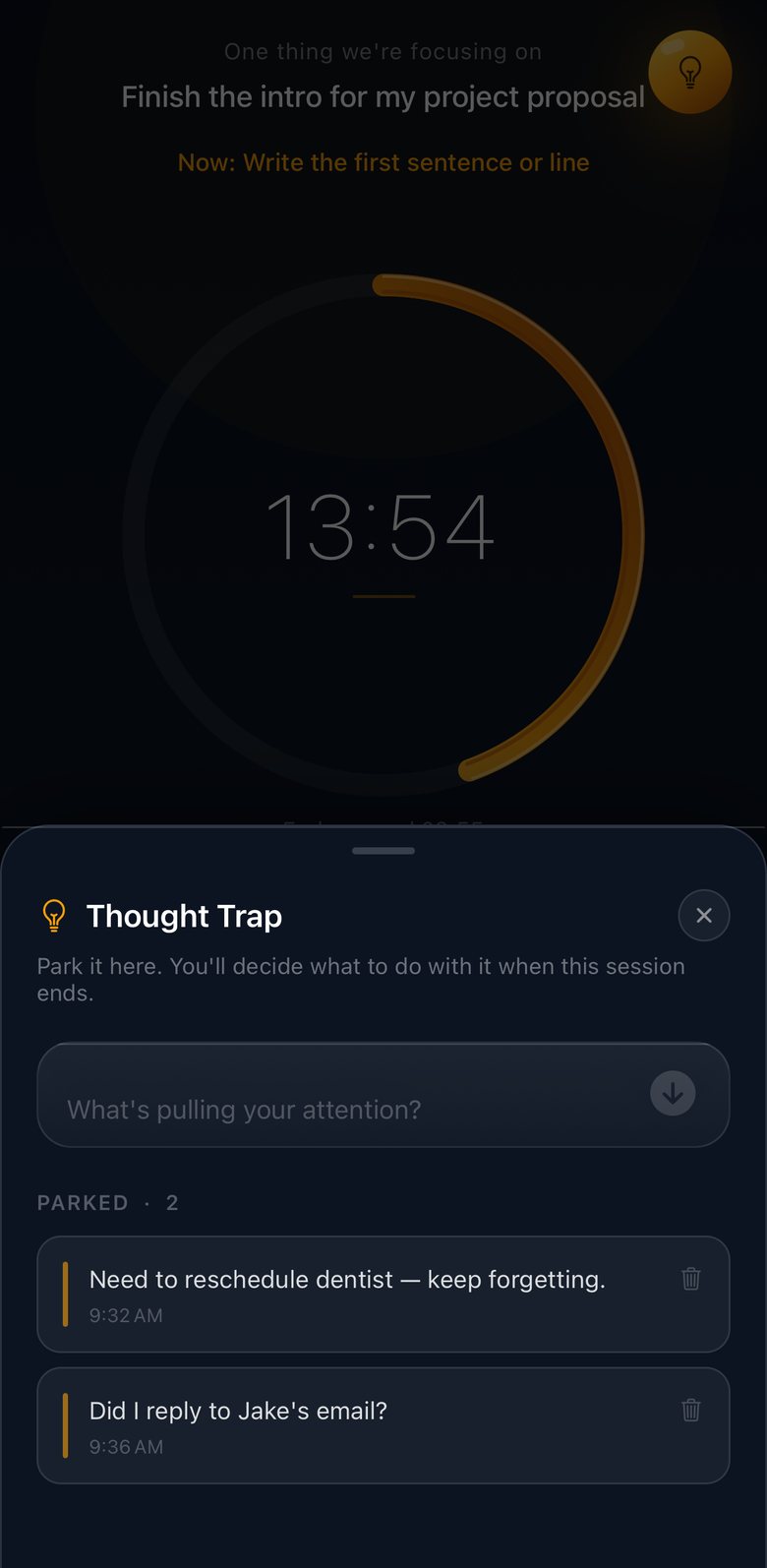
The action leads and the timer supports. The focus screen always shows the step you're on, above the clock.
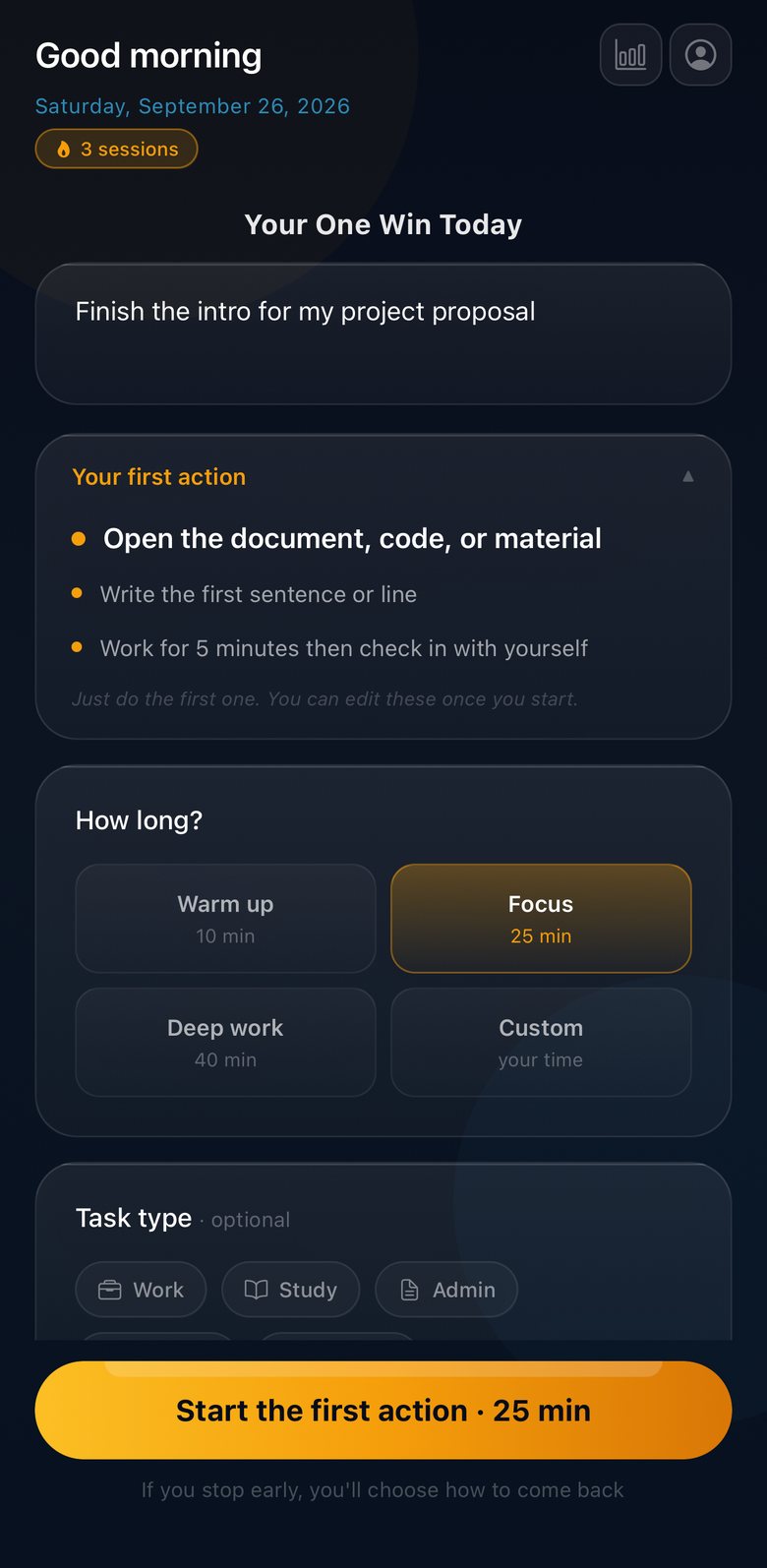
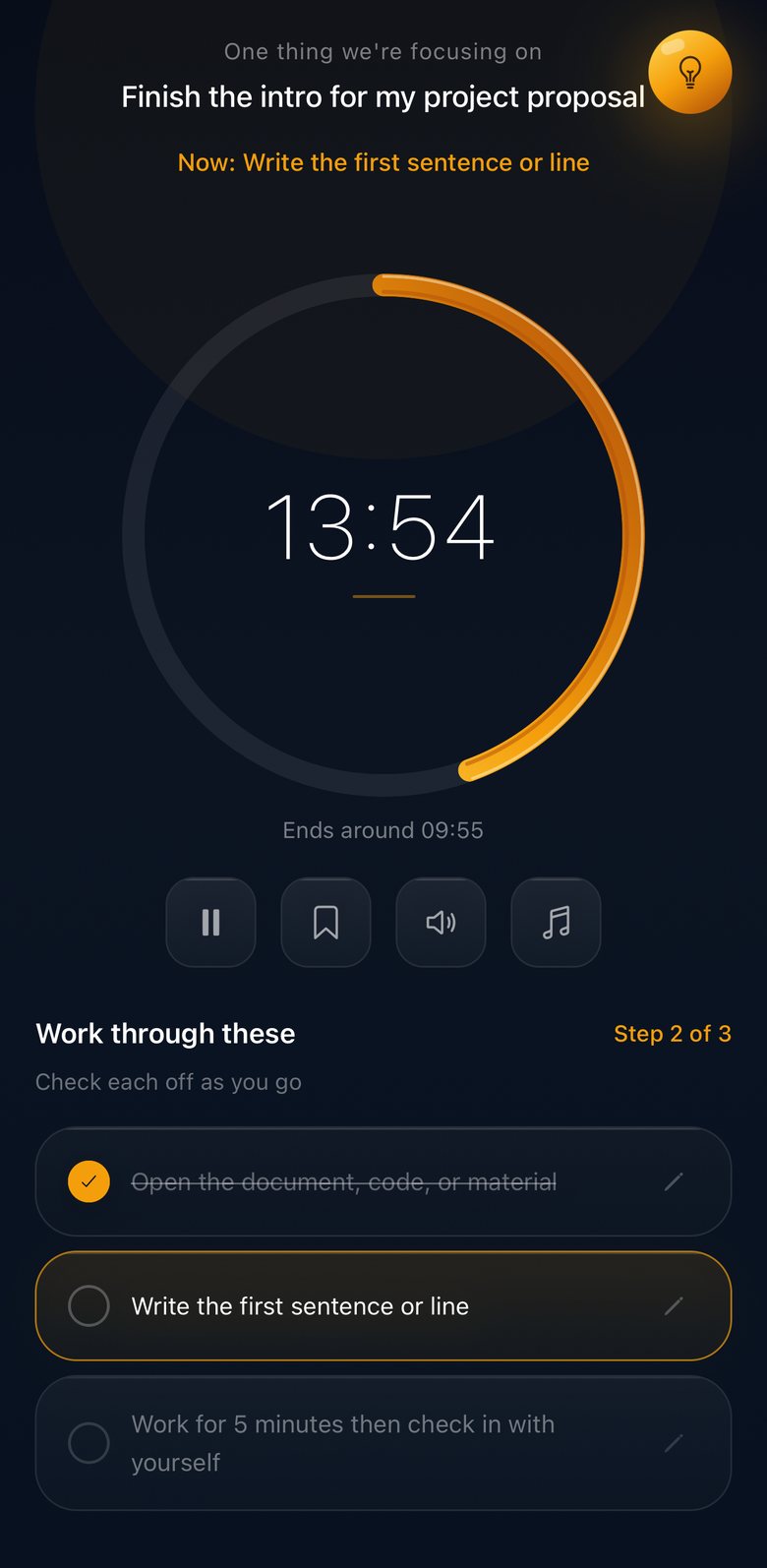
Focus broke? Choose how to return.
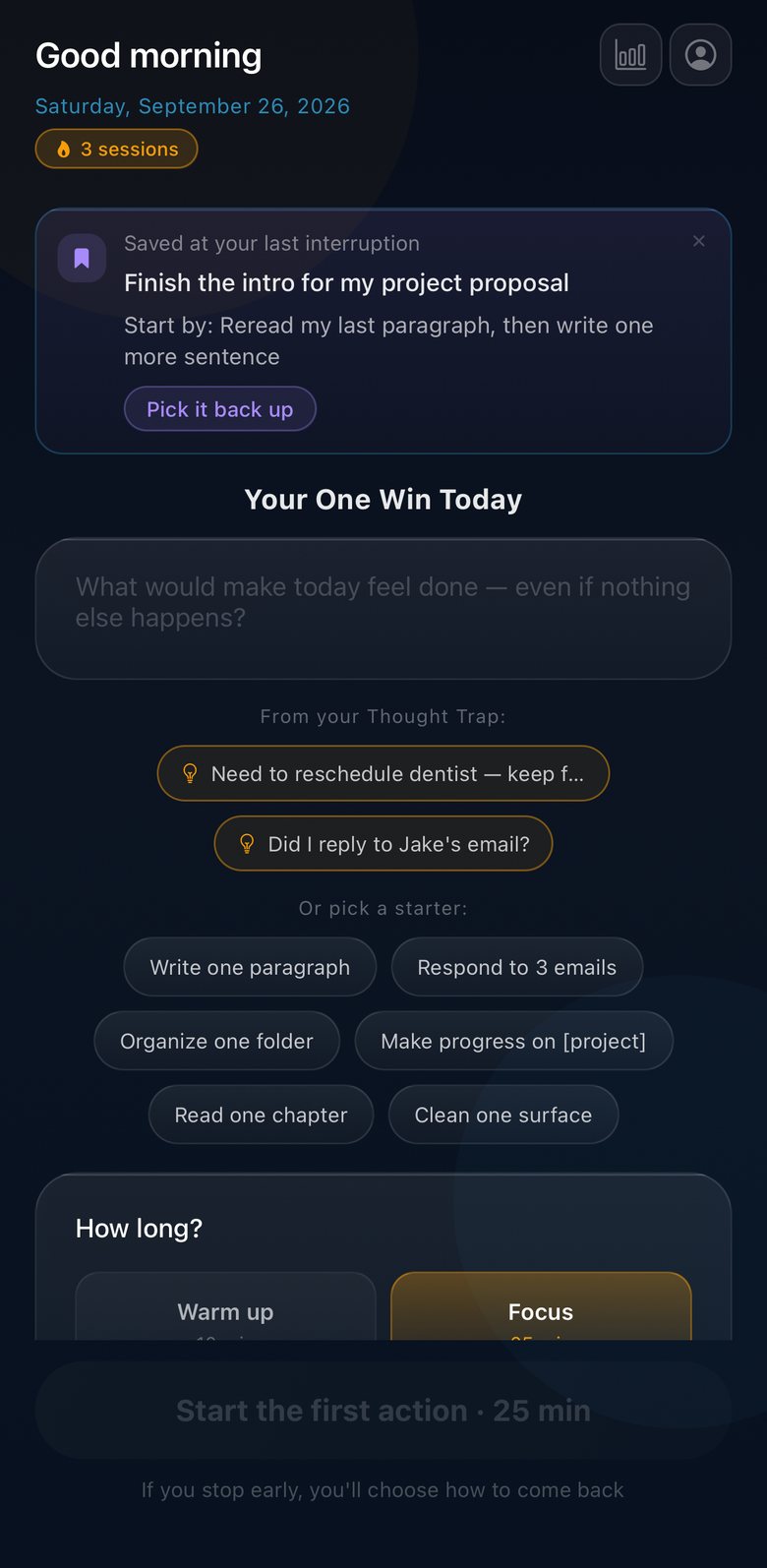
Stopping never just ends a session. You leave a note for future you, "When I come back, I'll start by…", and pick a way back. OtterFocus suggests one based on your energy and how early you stopped, and never hides the others.
- Reset, then resume. A one-minute reset, then the time you had left.
- Make it smaller. Ten minutes on just your note.
- Bookmark it, switch. Save your place and deal with what pulled you away.
- Come back later. Your place is saved, with an optional nudge in an hour.
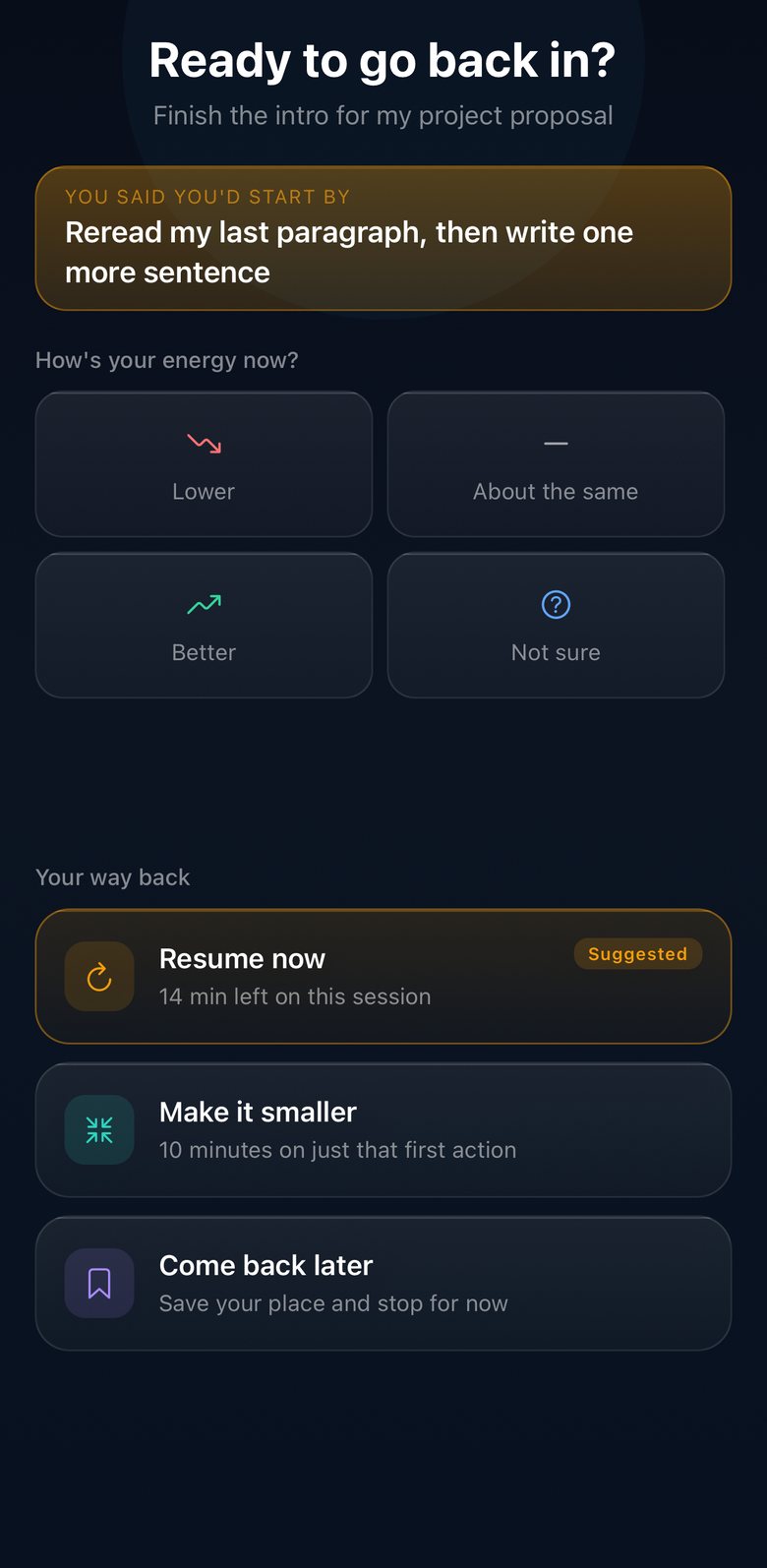
Park the distraction. Keep your place.
A stray thought mid-task? Tap the bulb and park it in one line, without leaving the session. When you finish, each parked thought is offered as a ready-to-start next task, or you can let it go.
Tasks you set aside wait on the start screen with your note, so nothing gets lost between sessions.
Your note follows you.
The step you're on sits on your Lock Screen while you work. When you step away, the note you left waits on your Home Screen, and Siri can read it back.
- Live Activity on the Lock Screen and in the Dynamic Island, with the countdown
- "Pick up where you left off" widget for the Home and Lock Screen
- Siri and Shortcuts: "Where was I in OtterFocus" and "Park a thought in OtterFocus"
 Pick up where you left off
Free & Pro
Free is the whole loop. Pro adds more help.
No sign-up. Start, park, stop and come back as often as you like for free, and upgrade only if you want what Pro adds.
Free
Everything in the start-and-recover loop
- One task, one first action, with ready-made starter steps
- The re-entry choice, your notes, and come-back reminders
- Thought Trap, with parked thoughts turned into next tasks
- Live Activity, the widget, and Siri
- Brown noise, weekly stats and the Day Review
Pro
For extra support when starting is hardest
- AI first-action suggestions tailored to your task
- Focus Lock: shield distracting apps during a session with Screen Time
- Full stats, trends and history
- Streak freezes for a missed day
- The Café soundscape
Pro is available monthly or yearly (the yearly plan starts with a 7-day free trial), or as a one-time Lifetime purchase. Prices vary by country, and the app shows yours before you buy. Subscriptions renew automatically unless cancelled at least 24 hours before the end of the period, in your Apple Account settings.
Private by design
Your focus stays on your iPhone.
- Tasks, notes, parked thoughts and history are stored on your device
- No account, no name, no email
- No ads, no analytics SDKs, no tracking
- Pro AI suggestions send only the task text to generate steps, and it isn't stored
Support
Help
Answers to the questions people ask most. Still stuck? Email us and we'll reply within 48 hours.
Include your device model, iOS version, and what you were doing when the problem happened.
Getting started
How does a session work?
Type one task. OtterFocus suggests a small first action and a pace. Tap "Start the first action", then work through the steps. The current step always sits above the timer.
What happens when I stop early?
Tap the bookmark button. Instead of ending, the app asks how you'll come back and lets you leave a note starting "When I come back, I'll start by…". Your note shows up after the reset, on the start screen, and in a reminder if you asked for one.
How do I add the widget?
Touch and hold your Home Screen, tap the plus button, search for OtterFocus, and add "Pick up where you left off". It shows the note from your last interruption. The Live Activity appears on its own when a session starts, on iOS 16.2 or later.
What can I say to Siri?
"Where was I in OtterFocus" reads back your saved note. "Park a thought in OtterFocus" saves a thought to your Thought Trap without opening the app. Both are also in the Shortcuts app.
OtterFocus Pro
What does Pro include?
AI first-action suggestions, Focus Lock app shielding, full stats and history, streak freezes, and the Café soundscape. The start-and-recover loop itself is free.
How do I restore a purchase on a new device?
Open Settings in the app and tap "Restore Purchases", or use Restore on the Pro screen. This works for subscriptions and Lifetime, as long as you use the same Apple ID.
How do I cancel a subscription?
In iOS Settings › your name › Subscriptions › OtterFocus. Deleting the app does not cancel a subscription.
Can I get a refund?
Refunds are handled by Apple, not by us. Request one at reportaproblem.apple.com.
Privacy and data
Where is my data stored?
On your device. Tasks, notes, parked thoughts and session history never leave it, except the task text you choose to send for Pro AI suggestions. See the Privacy Policy for the full detail.
Can OtterFocus see which apps I use?
No. Focus Lock uses Apple's Screen Time framework. The apps you pick are kept as private tokens by iOS, and OtterFocus never learns their names or your usage.
Troubleshooting
My come-back reminder didn't arrive.
Check that notifications are allowed in iOS Settings › Notifications › OtterFocus, and that a Focus mode isn't silencing them.
I lost my history.
Everything is stored on the device only and is removed when the app is deleted or offloaded. There is no cloud backup, so we can't recover it.